Last week, we announced the official release of the Kastle Rentals Renter Dashboard - a portal that allows you (and anyone that you grant access to) to easily view and change the details concerning your rental, such as your quote, pick-up and drop-off information, paperwork, and more.
In this article, we'll outline what the Renter Dashboard looks like, the purpose of each page, and some tips to enhance your experience when renting with Kastle Rentals and using the Renter Dashboard.
The benefits
Renting gear is only one part of a shoot. The rest is the paperwork, the payments, the logistics and the back-and-forth emails. The Renter Dashboard puts all of that in one place, so you can get back to making your film.
Here's what it does for you:
Everything in one place. Your quote, invoice, documents, schedule and return details all live in a single portal, so you don't have to dig through email threads.
Always know what's next. The progress tracker and next-step prompts show where your rental stands and what to do next, with a link straight to it.
Clear, transparent pricing. See your full cost breakdown, and see exactly what changed whenever we update your quote.
Sign and pay on your schedule. Review invoices, sign documents and send payment notifications online, any time of day, without waiting on office hours.
Bring your whole team in. Give access to your producer, accountant or production manager so the right person can handle their part.
Smoother pickups and returns. Set your dates, handoff methods and locations ahead of time, so the day itself runs without surprises.
A stress-free wrap. The Return Checklist helps make sure every cable, battery and accessory makes it back in its case, which means fewer last-minute scrambles. We've even implemented a dedicated "photo mode" that allows you to see exactly what each kit (and piece of equipment) looks like, and where everything goes - so you can confirm exactly what needs to be returned and if anything is missing before you wrap.
Support when you need it. Need a change? Every page has a direct line to our rental team.
Whether you're a solo filmmaker or running a full crew, the dashboard keeps your rental organized from the first quote to the final return.
The renter dashboard
Think of the Renter Dashboard as your production's home base for everything related to your Kastle Rentals rental. It's one place to see where your booking stands, what's next, and who needs to do what. Once you're signed in, you'll see a navigation bar with seven pages, each concerning a different aspect of your rental, arranged roughly in the order a rental unfolds: from the first quote to the payment and paperwork, to the wrap and return.
Here's what each page is, and the functions it serves:
Overview
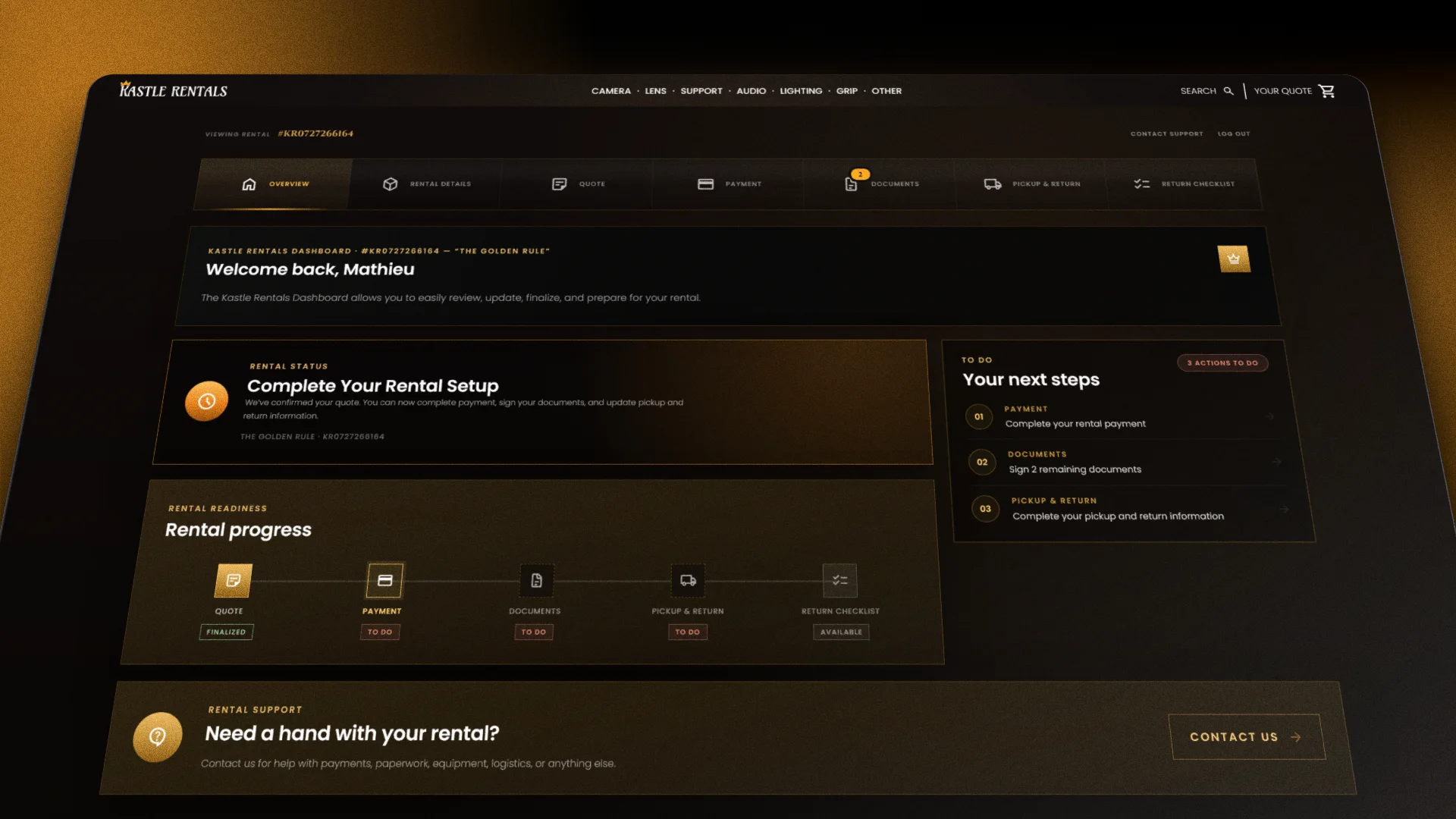
This is your landing page, and it answers "where are we at?" in a few seconds. A progress tracker runs across the top, from quote through payment, documents, pickup and return. Each stage shows its current status, so you can see what's done and what's waiting.
Below it, the dashboard lists your next steps in plain language. Examples are "Sign 2 remaining documents" or "Pay your balance". Each one links straight to the right page.
Rental Details
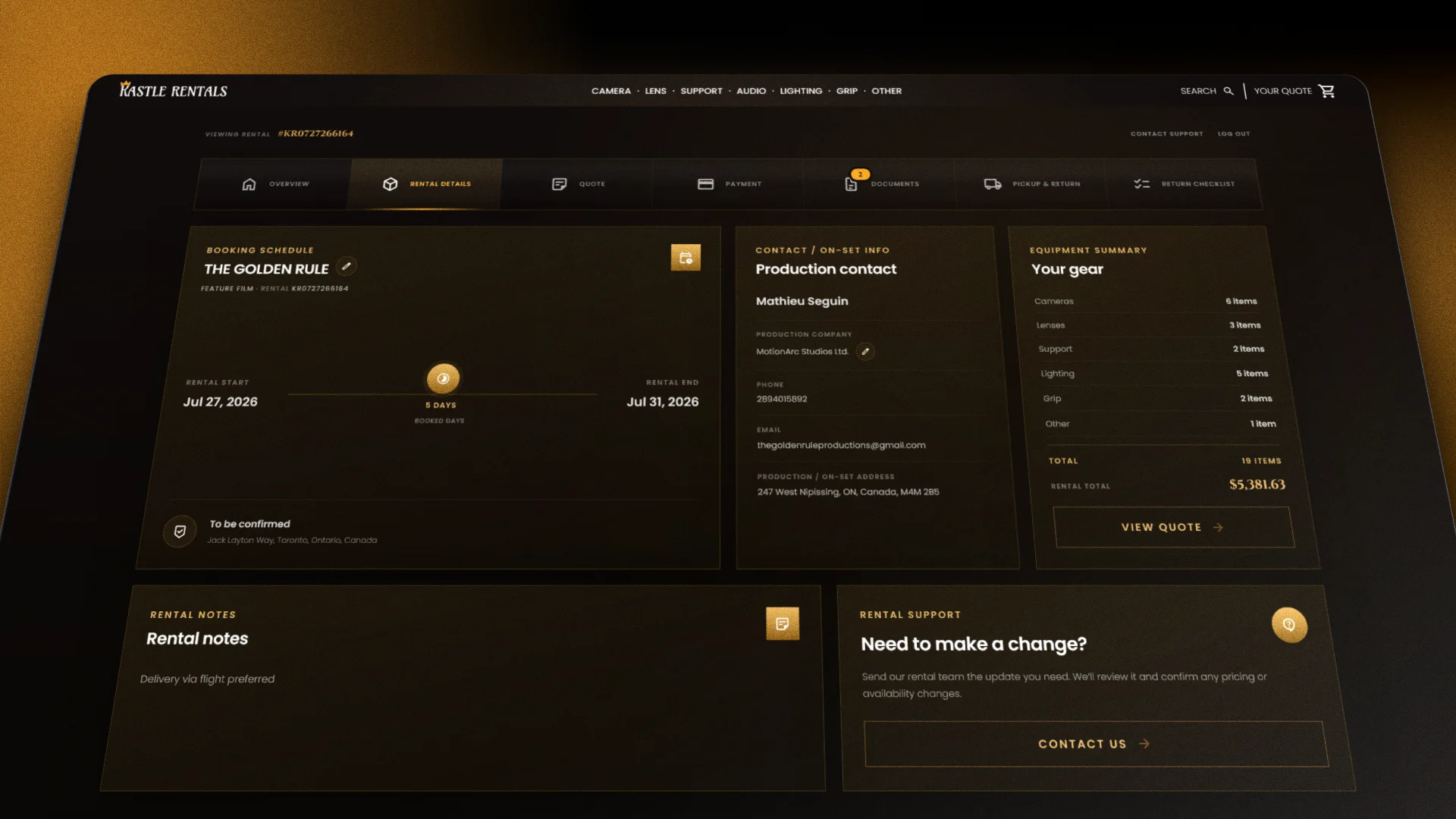
Your booking schedule, on-set contact info, equipment summary and any rental notes all live here. It's the page to share with your first AC, producer or production manager, so everyone is working from the same information.
Need something changed? There's a built-in support form on this page. Tell us what you need, and we'll review it and confirm any pricing or availability changes.
Quote
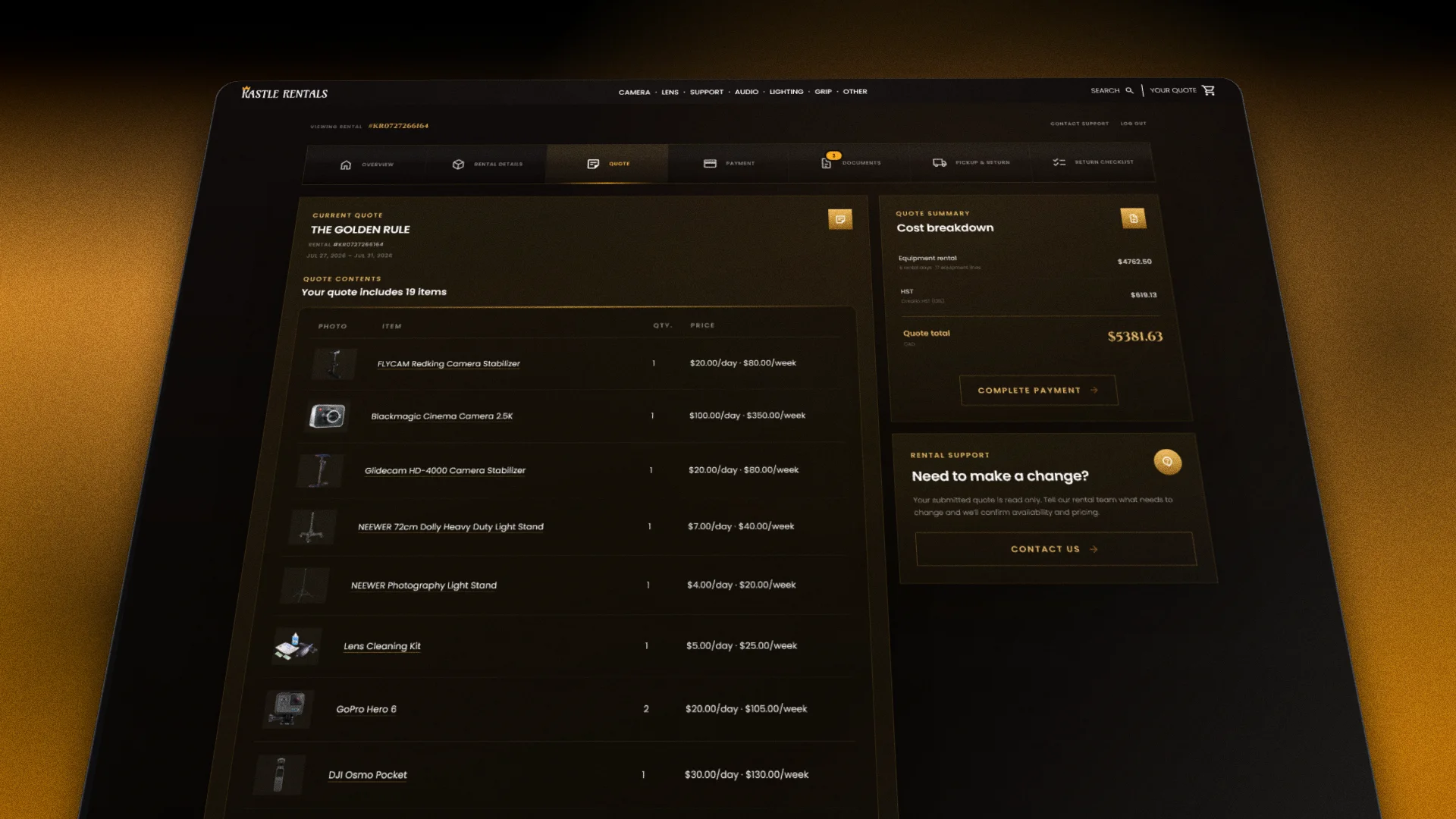
Your quote is the full picture of your rental: every item and add-on, with a clear cost breakdown. If we've adjusted anything on our end, the page flags it as a quote update and shows exactly what changed. You can approve the changes right there, or dispute them if something doesn't look right. Your response goes straight to our rental team.
A heads-up on how the dashboard flows: payment, documents, pickup and return, and the checklist open once your quote is approved. Until then, you can still view and make changes to the Overview, Rental Details and Quote pages.
Payment
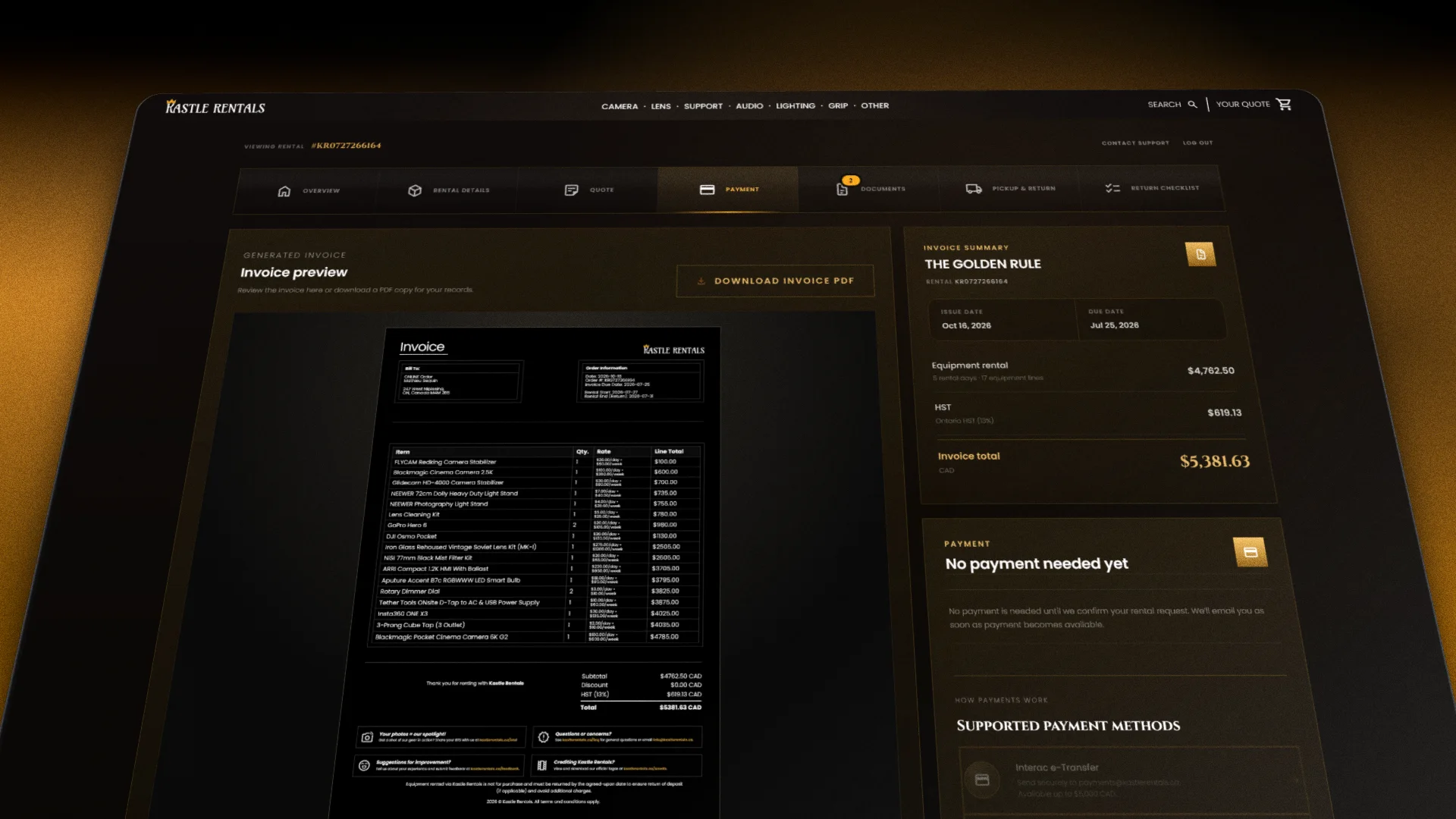
Your invoice, payment status and instructions all sit together on this page. You can read the invoice online or download a PDF copy for your records. Card payments are processed securely (via Stripe), with any applicable processing fees shown before you confirm. The page also covers our other approved methods, including Interac e-Transfer, cash and cheque, along with the requirements for each.
Once you've sent payment, you can let our team know right from the page. A reservation counts as paid once Kastle Rentals confirms the funds have cleared.
Documents
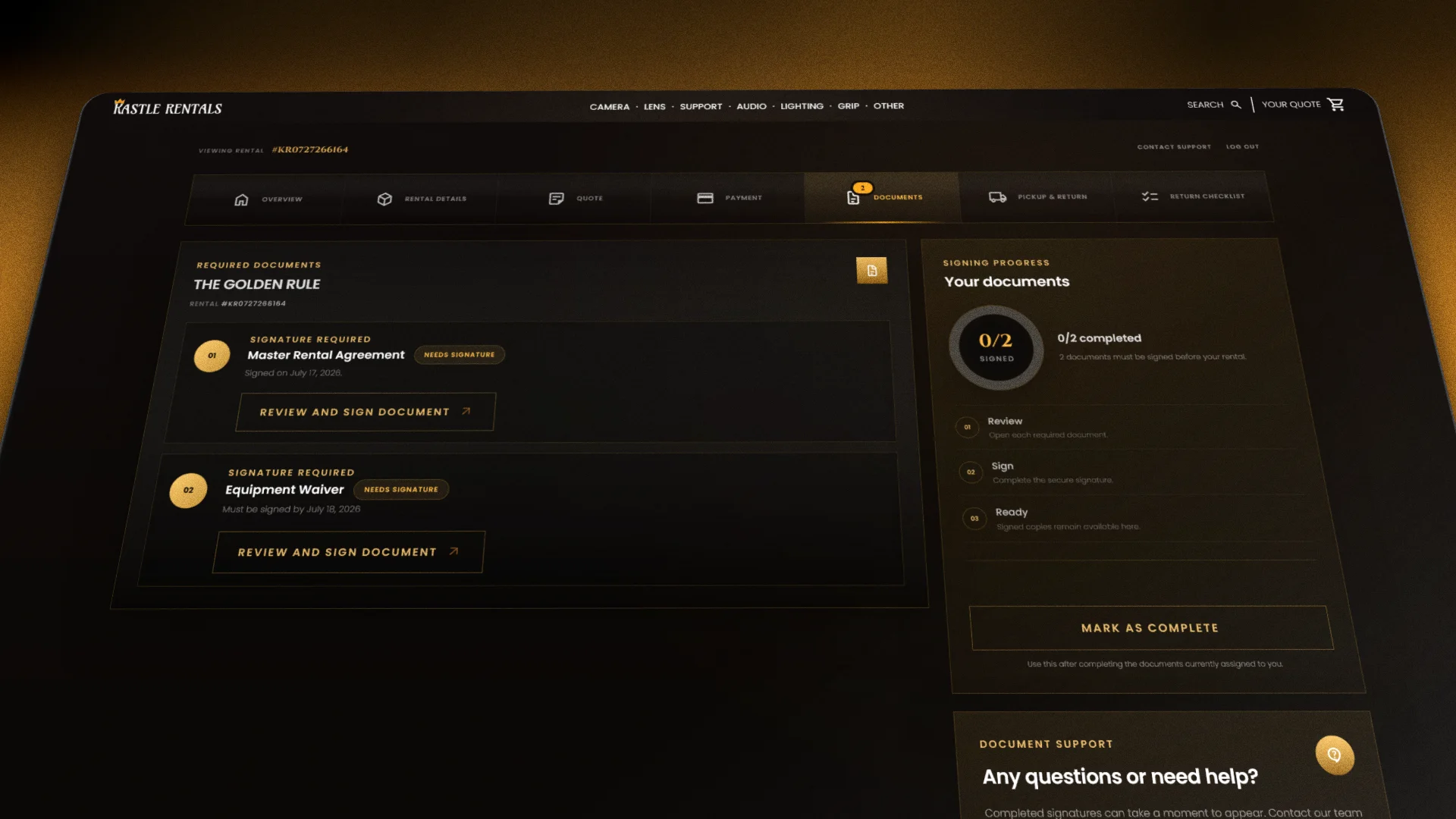
All your rental paperwork is collected here and signed online. A signing progress tracker shows what's finished and what's still outstanding, and a small badge on the sidebar tells you how many documents are waiting. When there's nothing to sign, the page says so and promises to let you know when something's ready.
You can also give other people access to your dashboard, such as a producer, line producer or production accountant. That way, the person who needs to sign can do it without you passing documents back and forth.
Pick-up & Return
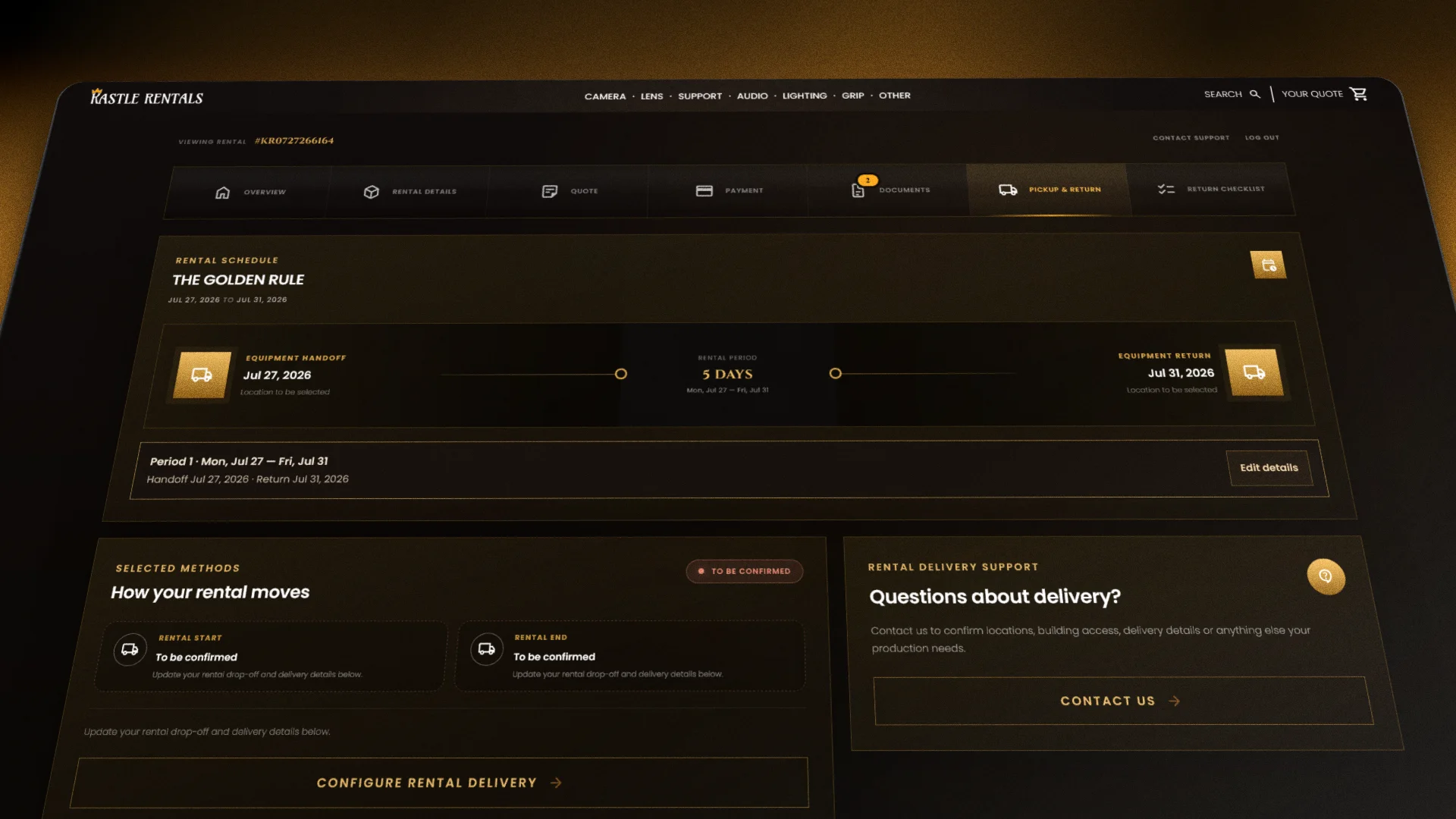
Choose how the gear gets to you and back again. On this page you submit your preferred dates, handoff methods, locations and times, and our team reviews them and confirms availability. A "Selected Methods" summary shows how your rental will move, and you can update your details whenever plans change.
Building access, loading dock details or an early call time? Mention them here, so nothing is a surprise on the day.
Return Checklist
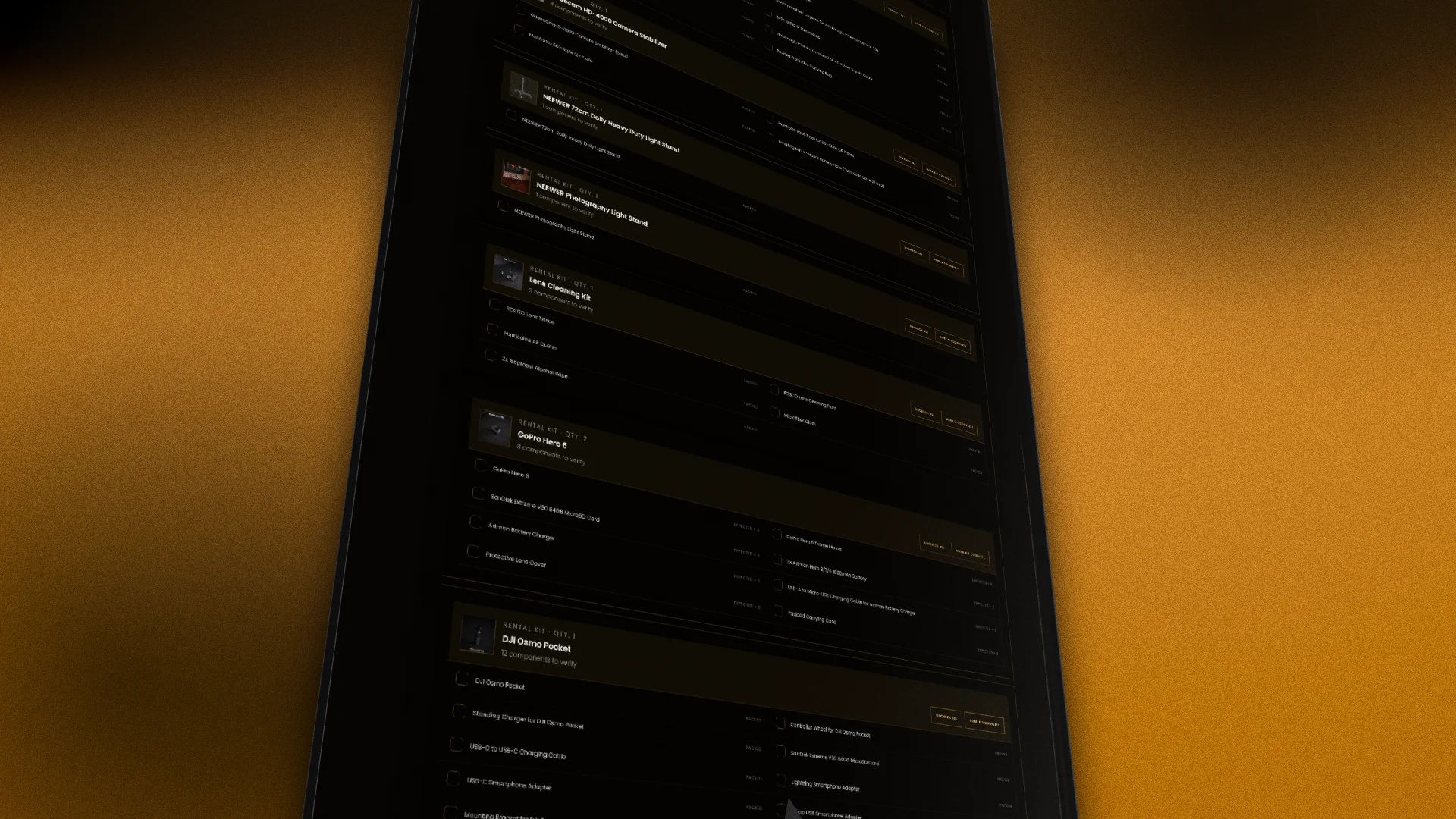
This is the page that makes wrap day easier. Your return checklist lists every item, add-on and accessory on your rental, and you tick each one off as you confirm it's present, powered down, clean and packed in its case. A Return Readiness bar shows how much is left before hand-off, and your progress saves automatically on your device, so you can start on set and finish later.
You can switch between two views. Checklist Mode goes item by item. Photo Mode shows annotated packing photos for kits, with numbered markers so you can see how everything should be organized before it comes back to us.
Questions along the way? Every page of the Renter Dashboard has a Contact support button, and our rental team is happy to help.